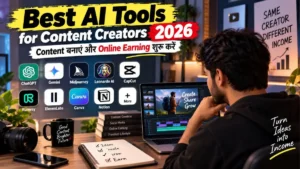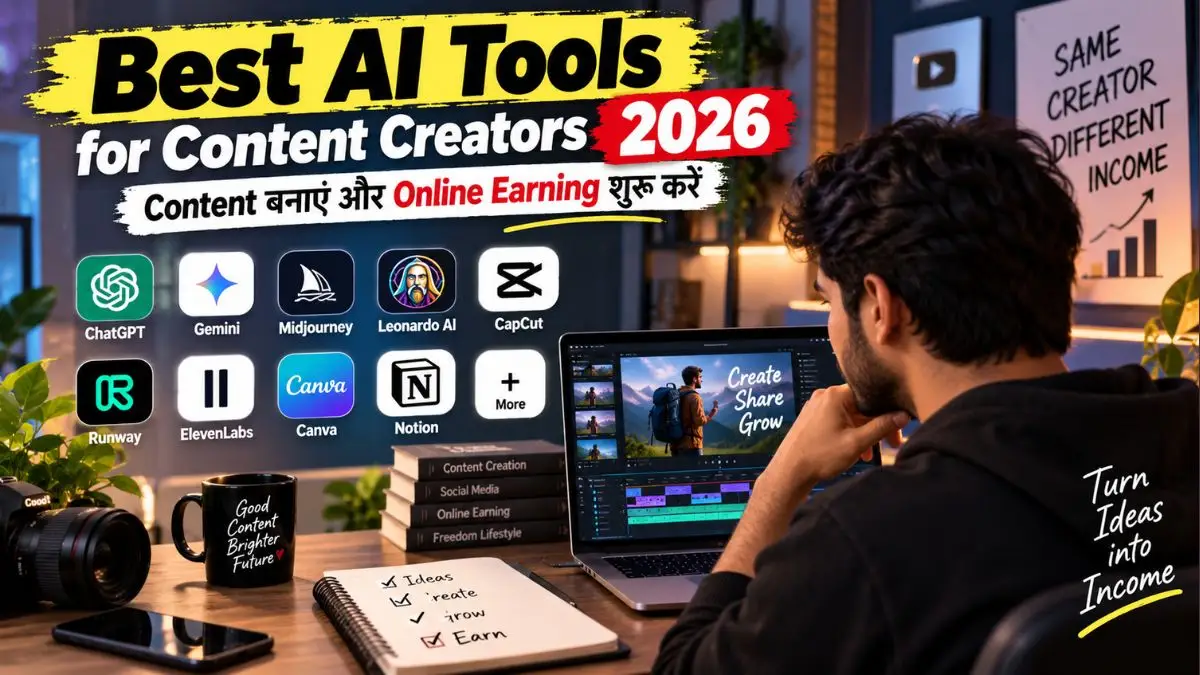
दोस्तों, आज Content बनाने के लिए AI Tools की कमी नहीं है—Problem यह है कि इनमें से सच में काम का Tool कौन-सा है? कोई Script लिखने में अच्छा है, कोई Thumbnail और Design में, तो कोई घंटों की Video Editing को काफी आसान कर देता है।
इस Guide में मैंने ऐसे Best AI Tools for Content Creators 2026 रखे हैं जो सिर्फ देखने में Interesting नहीं, बल्कि आपके रोज के Creator Workflow में काम आ सकते हैं। साथ में यह भी समझेंगे कि कौन-सा Tool किस काम के लिए चुनें और उसकी Skill को Client Work, Content या Digital Product के जरिए Online Earning में कैसे बदल सकते हैं।
Updated: 12 September 2026 — Features, Free Limits और Pricing बदल सकती हैं, इसलिए Paid Plan लेने से पहले Current Pricing और Commercial-use Terms जरूर Check करें।
एक सही AI Tool आपके घंटों के काम को कितना आसान कर सकता है?
सोचिए जिस काम में अभी आपको 2–3 घंटे लगते हैं—Topic Research, Script, Thumbnail, Voice या Video—अगर उसका मुश्किल हिस्सा कम समय में हो जाए, तो आप उसी समय में ज्यादा Content बना सकते हैं या Client का Extra काम ले सकते हैं। असली फायदा यहीं से शुरू होता है।
लेकिन हर AI Tool ऐसा नहीं करता। आगे मैंने उन्हीं Tools को रखा है जिनका Creators के लिए साफ Practical Use है। साथ में यह भी जानेंगे कि किस Tool से क्या बनाना सही रहेगा और उस Skill को Freelancing, YouTube, Social Media या Digital Products के जरिए Earning में कैसे बदला जा सकता है।
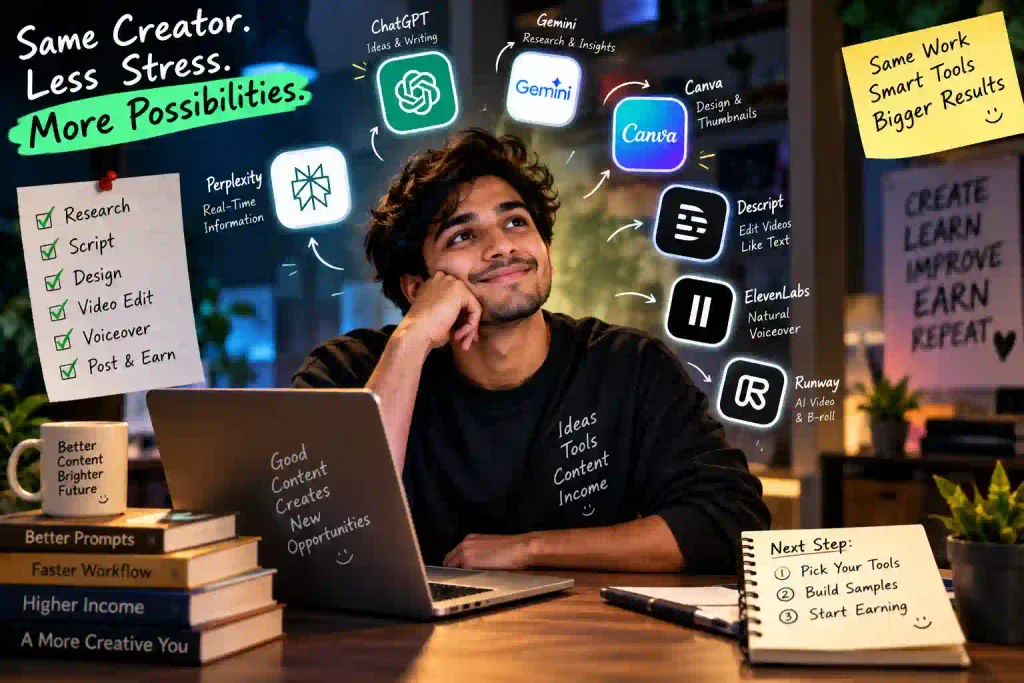
Best AI Tools for Content Creators Quick Answer: Creator के लिए कौन-सा AI Tool सही है?
| काम | अच्छा विकल्प | किसके लिए |
|---|---|---|
| Ideas और script | ChatGPT / Gemini | Blog, Reels, YouTube |
| Source-based research | Perplexity | Explainers, comparison |
| Thumbnail और design | Canva | Beginners और teams |
| Text-based editing | Descript | Video और podcast |
| Hindi/English voice | ElevenLabs | Narration और dubbing |
| AI video/B-roll | Runway | Creative projects |
सीधी सलाह: शुरुआत में छह subscriptions लेने की जरूरत नहीं है। एक writing/research tool और एक design या editing tool चुनें। जब उससे regular काम या client income आने लगे, तभी paid stack बढ़ाएं।
1. ChatGPT — Ideas, Script और Creative Planning
अगर हर दिन नया Content बनाना है, तो ChatGPT Ideas से लेकर पहला Draft तैयार करने तक काफी काम का है। आप इससे YouTube/Reels के Topics और Hooks, Script Outline, Captions, Content Plan और Creative Concepts तैयार कर सकते हैं। वहीं ChatGPT Images से Thumbnail या Social Media Creative के लिए Images बनाना और existing Images को edit करना भी संभव है।
अच्छा तरीका यह है कि AI के Draft को Final Content न मानें—Facts, Examples और अपनी भाषा/Experience जोड़कर उसे Publish करें। इससे Content ज्यादा useful और आपकी अपनी Voice वाला रहता है।
- Best For: YouTubers, Bloggers, Freelancers और Social Media Creators
- Earning Use: Script Writing, Content Planning, Captions और Creative Services
- काम की बात: Client या Audience के लिए बनाया Content Publish करने से पहले Facts और Final Output खुद Review करें।
2. Google Gemini — Research से Image और Video Creation तक
Google Gemini सिर्फ Research या Writing तक सीमित नहीं है। Creators इससे long files और notes समझने, Content Ideas व Scripts तैयार करने के साथ Images generate/edit और AI Videos create करने जैसे काम भी कर सकते हैं। यानी एक ही जगह Content Planning से Visual Creation तक कई काम किए जा सकते हैं।
Gems की मदद से अपने बार-बार किए जाने वाले काम के लिए customized AI workflow भी बनाया जा सकता है। हालांकि Image/Video generation जैसे कुछ Features की availability और limits आपके Plan, Account और Region के अनुसार अलग हो सकती हैं।
- Best For: Research, Scripts, AI Images और AI Video Creation
- Earning Use: Content Repurposing, AI Creatives और Short-Video Services
- ध्यान रखें: Client Work में Final Image/Video और Facts को खुद Review जरूर करें।
3. Perplexity — Trend Research और सही Sources ढूंढने के लिए
किसी Topic पर Article या Video बनाने से पहले क्या नया चल रहा है और जानकारी कहां से आई है, यह जानने में Perplexity काम आ सकता है। यह Web पर Search करके जवाब के साथ Sources दिखाता है, जिससे Creators अलग-अलग Reports, Articles और Viewpoints तक जल्दी पहुंच सकते हैं।
इसे Final Content लिखने के बजाय Research की शुरुआत के लिए इस्तेमाल करना बेहतर है। जरूरी Claim के लिए Citation खोलकर Original Source, Date और Context खुद Check करें।
- Best For: Trend Research, Comparison और Explainer Content
- Earning Use: Research-based Content Briefs और Content Audits
- ध्यान रखें: Citation मौजूद होने का मतलब यह नहीं कि हर AI-generated Claim अपने आप सही है।
यह भी देखे:- best-ai-editing-apps-for-android
4. Canva Magic Studio — Thumbnail से Social Media Design तक
अगर Designing आपकी Strong Skill नहीं है, तब भी Canva से YouTube Thumbnails, Instagram Carousels, Posts, Pinterest Pins और Media Kits जैसे Creatives आसानी से बनाए जा सकते हैं। Magic Studio में AI-powered Image Generation, Background Editing, Writing और Design Tools भी मिलते हैं, जबकि कुछ Features Plan के अनुसार अलग हो सकते हैं।
Ready-made Template को वैसे ही Export करने के बजाय अपनी Branding, Fonts, Images और Layout के हिसाब से Customize करें। इससे Design ज्यादा Original और Professional लगेगा।
- Best For: YouTubers, Social Media Creators और Small Businesses
- Earning Use: Thumbnail Design, Carousel Packs और Social Media Creatives
- ध्यान रखें: Client/Commercial Work से पहले इस्तेमाल किए गए AI और Stock Assets की Licensing Terms जरूर Check करें।
5. Descript — Video Editing को Text Editing जितना आसान बनाएं
अगर आप Podcast, Interview या Talking-head Video बनाते हैं, तो Descript का Transcript-based Editing काफी काम का है। यह Video/Audio को Transcribe करता है और Transcript में Words या Sentences Edit करने पर संबंधित Media भी Edit हो जाता है। इसमें Captions, filler-word removal और audio improvement जैसे Tools भी मिलते हैं।
Creators इसका इस्तेमाल खासकर Long Videos को Edit करने और Short Clips तैयार करने के Workflow में कर सकते हैं। Automatic Transcript और Cuts को Final Export से पहले एक बार खुद देखकर और सुनकर Check जरूर करें।
- Best For: Podcasts, Interviews और Talking-head Videos
- Earning Use: Podcast Editing, Captions और Short-form Video Repurposing
- ध्यान रखें: AI-generated Transcript और Automatic Edits हमेशा Final Review करें।
6. ElevenLabs — Natural AI Voiceover और Dubbing
अगर आप Faceless Videos, Explainer Reels या अलग-अलग Languages में Content बनाते हैं, तो ElevenLabs उपयोगी हो सकता है। इसके Text-to-Speech Tools से Hindi समेत कई Languages में AI Voiceover बनाया जा सकता है, और Dubbing Tools से Content को दूसरी Languages में तैयार करने का Workflow भी मिलता है।
इसका बेहतर इस्तेमाल अपनी या अधिकृत Voice के साथ Narration, Dubbing और Product Videos में करना है। Voice Cloning और Commercial Projects में संबंधित Permission और Usage Rights जरूर Check करें।
- Best For: Voiceover, Dubbing और Multilingual Content
- Earning Use: Voiceover Service, Video Dubbing और Multilingual Content
- ध्यान रखें: किसी Real Person की Voice Clone करने के लिए जरूरी Permission के बिना इस्तेमाल न करें।
7. Runway — AI Video और Creative B-roll बनाने के लिए
अगर आपके Content में ऐसे Cinematic Shots या B-roll चाहिए जिन्हें खुद Shoot करना मुश्किल है, तो Runway काम आ सकता है। इसके AI Video Models से Text, Image और Visual References के आधार पर Video Shots बनाए जा सकते हैं और कई AI-powered Editing Tools भी मिलते हैं।
Creators इसका इस्तेमाल Product Visuals, Creative B-roll, Ad Shots और Short Cinematic Clips के लिए कर सकते हैं। बेहतर Video के लिए Prompt के साथ Shot Planning और Final Editing भी जरूरी रहती है।
- Best For: AI Videos, Ads और Creative Visuals
- Earning Use: Short Promos, Product Visuals और AI Video Services
- ध्यान रखें: Final Video में visual artifacts/गलत details जरूर Check करें और Paid Client Work से पहले Current Credits व Usage Terms देखें।
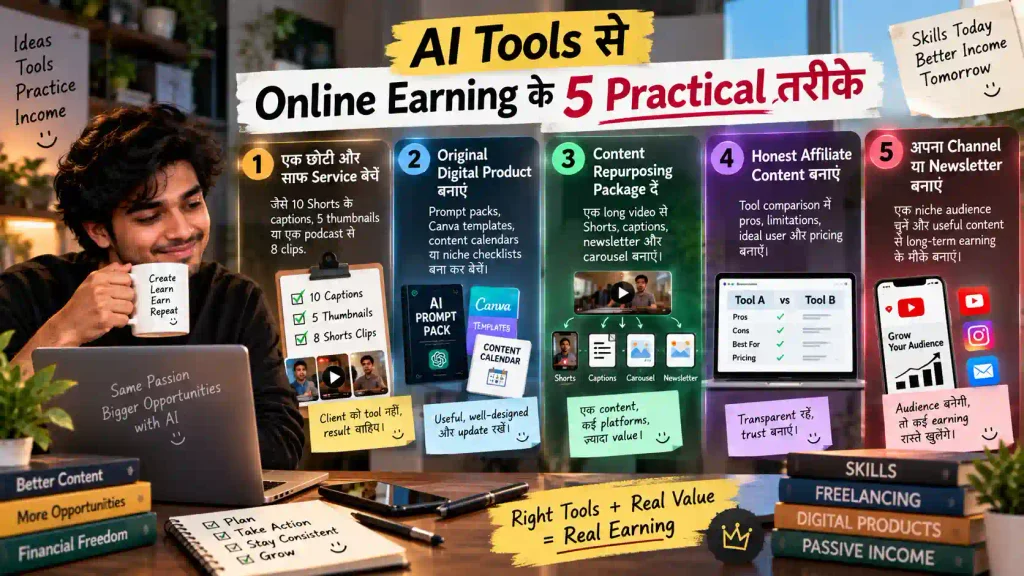
AI Tools से Online Earning के 5 Practical तरीके
दोस्तों, AI Tool सीख लेने भर से Earning शुरू नहीं होती। कमाई तब बनती है जब आप उसकी मदद से किसी Creator या Business का समय बचाते हैं, उसका Content बेहतर बनाते हैं या कोई काम की चीज तैयार करके देते हैं। शुरुआत के लिए ये 5 तरीके ज्यादा practical हैं:
1. छोटी Service से शुरुआत करें
“मैं AI का काम करता हूं” कहने के बजाय Client को साफ Offer दें—जैसे 10 Reels के Hooks और Captions, 5 YouTube Thumbnails या एक Podcast से Short Clips। Client को आपके Tool से ज्यादा Final Result में दिलचस्पी होती है।
2. अपना Digital Product बनाएं
अगर किसी काम में आपकी अच्छी पकड़ है, तो Prompt Pack, Canva Template, Content Calendar, Hook Library या Niche Checklist जैसा Original Digital Product बना सकते हैं। उसमें Examples और इस्तेमाल करने का तरीका जरूर दें, ताकि खरीदार को सिर्फ AI-generated PDF न मिले।
3. एक Content को कई Formats में बदलें
एक Long Video से Shorts, Captions, Carousel और Newsletter तैयार करना Creators और Businesses के लिए उपयोगी Service हो सकती है। AI शुरुआती Draft तेज कर सकता है, लेकिन Final Facts और Brand Voice की जिम्मेदारी आपकी रहेगी।
4. काम का Affiliate Content बनाएं
जिस AI Tool को आपने इस्तेमाल किया है, उसके फायदे के साथ Limitations और किसके लिए सही है यह भी बताएं। Affiliate Link इस्तेमाल कर रहे हैं तो Disclosure साफ रखें। इससे Reader को सही Tool चुनने में मदद मिलती है और Trust भी बना रहता है।
5. अपनी Audience बनाएं
YouTube, Blog, Instagram या Newsletter पर हर Topic Cover करने के बजाय एक साफ Niche चुनें—जैसे Hindi Creators, AI Video Editing या Small Business Content। Audience बनने के बाद Ads, Sponsorships, Affiliate, Services और अपने Products जैसे कई Earning रास्ते खुल सकते हैं; कमाई की कोई निश्चित Guarantee नहीं होती।
शुरुआत में कौन-से AI Tools लें? ये 3 Simple Setups देखें
शुरुआत में हर AI Tool का Paid Plan लेने की जरूरत नहीं है। पहले अपने काम के हिसाब से छोटा Setup बनाएं और जब उससे सच में काम निकलने लगे, तभी पैसे खर्च करें।
- बिना Budget शुरुआत: ChatGPT या Gemini का उपलब्ध Free Access + Canva Free + जिस Mobile Video Editor को आप पहले से चलाना जानते हैं।
- Freelancing के लिए: Writing/Research के लिए एक AI Tool + Canva और जरूरत के हिसाब से Descript या ElevenLabs। वही Tools लें जो आपकी Service में सीधे काम आएं।
- Video Creators के लिए: Research और Script के साथ अपना पसंदीदा Video Editor रखें। Runway जैसे Generative Video Tool की जरूरत तभी है जब आपको AI-generated Shots या B-roll बनाना हो।
30 दिन AI Tools सीखने में नहीं, Portfolio बनाने में लगाएं
अगर Online Earning शुरू करनी है, तो सिर्फ Tools सीखते रहने से बेहतर है कि 30 दिनों के अंदर ऐसा काम तैयार करें जिसे किसी Client को दिखाया जा सके।
Day 1–3: एक Niche और एक साफ Service चुनें। Day 4–10: उसके 3 अच्छे Sample Projects बनाएं। Day 11–15: Samples के साथ अपना Package और Pricing तैयार करें। Day 16–23: उन्हीं Businesses या Creators से Personalised तरीके से Contact करें जिन्हें आपकी Service की जरूरत हो सकती है। Day 24–30: मिले Feedback के आधार पर अपने Samples और Offer को बेहतर करें।
इस तरह महीने के आखिर में आपके पास सिर्फ “AI Tools की Knowledge” नहीं, बल्कि दिखाने के लिए Portfolio और बेचने के लिए एक साफ Service होगी।
AI से Content बनाते समय ये गलतियां भारी पड़ सकती हैं
AI काम तेज कर सकता है, लेकिन Publish या Client को Deliver करने से पहले Final जिम्मेदारी आपकी रहती है। इसलिए Health, Finance या Legal जैसे Sensitive Topics में AI के जवाब पर अकेले भरोसा न करें, Client की Private Files बिना Permission किसी Third-party Tool में Upload न करें और Copyright/Commercial-use Rules को नजरअंदाज न करें।
एक ही AI Template से दर्जनों लगभग समान Articles या Videos बनाने के बजाय उनमें अपनी Research, Examples, Experience और Human Editing जोड़ें। और जहां Platform या Context में जरूरी हो, realistic AI-generated Content को सही तरीके से Disclose करें।
FAQs
क्या AI tools से सच में online earning हो सकती है?
हां, लेकिन earning tool से नहीं—useful skill, portfolio, client acquisition और consistent delivery से आती है। AI समय बचा सकता है; income की guarantee नहीं देता।
Beginner को पहले कौन-सा tool लेना चाहिए?
अपने bottleneck के आधार पर चुनें। Writing में समय जाता है तो ChatGPT/Gemini; design में तो Canva; editing में तो Descript या familiar mobile editor। पहले free tier से workflow साबित करें।
क्या AI-generated content AdSense के लिए safe है?
AI का इस्तेमाल अपने-आप में समस्या नहीं है, लेकिन thin, copied, misleading या mass-produced content risk बढ़ाता है। Original analysis, useful examples, clear authorship और policy-compliant content पर focus करें।
Free AI tools से शुरुआत हो सकती है?
बिल्कुल। पहले samples और पहला client free plans से निकालें। Paid plan तभी लें जब limitation आपके delivery time या quality को सच में रोक रही हो।
निष्कर्ष
दोस्तों, Best AI Tools for Content Creators 2026 की List देखकर सभी Tools एक साथ सीखने की जरूरत नहीं है। पहले यह पहचानें कि आपके काम में सबसे ज्यादा समय कहां जाता है, फिर उसी Problem को आसान करने वाला एक Tool चुनें और उससे ऐसा काम बनाना सीखें जिसे लोग देखना, इस्तेमाल करना या खरीदना चाहें।
चाहे शुरुआत ChatGPT, Gemini, Canva या किसी Video Tool से करें, असली Value आपकी Creativity, Research और Final Human Touch से आएगी। एक Tool चुनिए, 2–3 अच्छे Samples बनाइए और छोटा Portfolio तैयार कीजिए—Online Earning की शुरुआत के लिए यही सबसे practical पहला कदम है।
Editorial note: यह educational article है; इसमें कोई guaranteed earning claim नहीं है। Features official product information और creator workflow के आधार पर बताए गए हैं। Plans और usage rights बदल सकते हैं। Official references: OpenAI, Gemini Help, Canva, Perplexity, Descript, ElevenLabs और Runway।
नीचे लिखे अन्य लेख भी देखे:-